+8615820889696
 Info@cowint.com



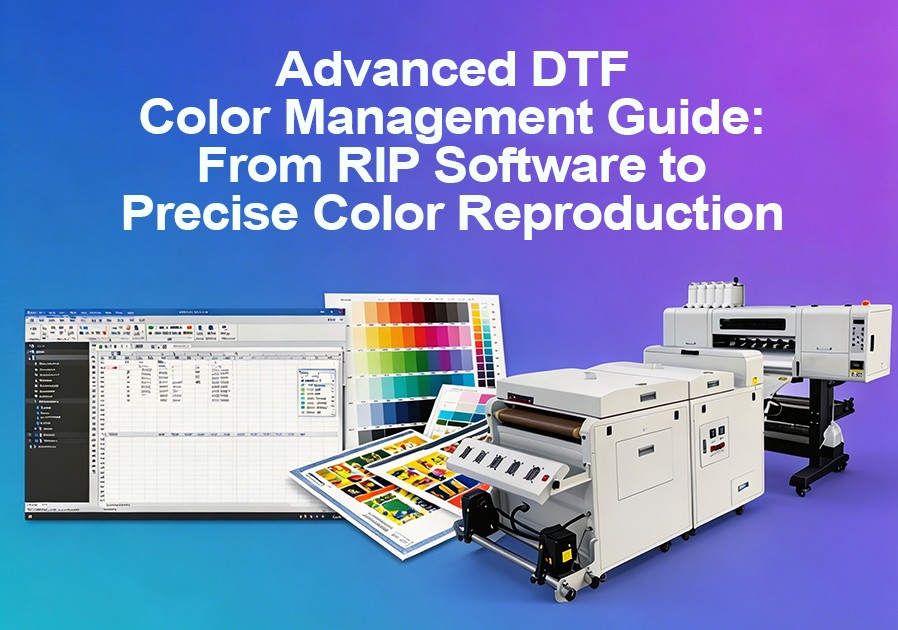
Introduction: From screen to fabric, there is a bridge that requires precise calibration.
In DTF printing, the challenge of color management is far more complex than in other printing methods. You not only need to add a white ink layer to the CMYK four-color base but also account for how different fabrics absorb color. RIP (Raster Image Processor) software is the translation engine that connects digital design to physical print — without it, your DTF printer is essentially flying blind. This article explores the core principles of DTF color management, helping you achieve precise color reproduction from screen to fabric.
1. Why RIP Software Matters for DTF Printing
DTF printing relies on a specific process: lay down a white ink base, apply full-color inks on top, then transfer to fabric. This workflow introduces unique demands:
White ink control — A well-formed white underbase ensures vibrant colors on dark garments
Color matching — RIP software uses ICC profiles to align what you see on screen with the finished print output
Efficiency & cost control — Proper dot generation and smart nesting reduce ink waste, cut material costs, and speed up throughput
Workflow management — RIP enables batching, queuing, and automated layouts — vital when scaling production
Skipping or under-investing in RIP software can lead to miscolored prints, wasted ink and film, and frustrated customers.
2. 2025–2026 RIP Software Frontiers
In late 2025, Fiery launched Digital Factory 12, marking a significant milestone in DTF and DTG color management. Digital Factory 12 introduces professional-grade color calibration and automation tools that scale as print businesses grow.
Saturation Rendering Intent. Created specifically for DTF and textile workflows, the new saturation rendering intent boosts vibrancy in traditionally dull areas while preserving natural skin tones. It delivers punchier, more impactful color without the risk of oversaturation — ideal for apparel decoration, heat transfers, and promotional items.
Fiery Color Profiler. With the new Fiery Color Profiler add-on, print operators can achieve repeatable, professional-quality output using supported spectrophotometers to calibrate printers and build ICC profiles in-house.
Native Gang Sheet Builder. The new Gang Sheet Builder brings visual, drag-and-drop layout directly into the RIP software, replacing the need for third-party tools. Operators can preview, group, nest, and auto-close sheets — all from the queue. It‘s faster, more intuitive, and engineered specifically for DTF production needs.
3. Core Features of Quality RIP Software
When selecting RIP software for your DTF printer, look for these must-have capabilities:
White Underbase/White Ink Layer Control. RIP software allows you to adjust how white ink is laid down — its density, coverage area, and interaction with the color layers above. For dark garments especially, getting this right is crucial.
ICC Color Profiling & Calibration. From monitor to print to fabric, the goal is that your graphic stays true to brand colors and design intent. Built-in ICC color management ensures what you see is what you‘ll get.
Nesting & Layout Tools. Efficient use of film or substrate matters. A good RIP offers automatic layout optimization and gang-sheet features so you waste less material.
Print Queue & Workflow Management. As demand grows, so does complexity. RIP software enables you to manage jobs, reorder priorities, duplicate queues for repeat work, and monitor ink usage metrics.
Preview & Simulation. Before spending ink and film, you can preview the RIP output — including underbase, color separation, and halftone distribution — to catch issues earlier.
Multi-Printer Support. If you have more than one DTF printer in your facility, look for RIP software that lets you manage multiple ports or devices from one hub.
Automation Tools. Advanced RIPs enable batch processing, custom actions, and file archiving, freeing up your team for more creative work.
4. Building Accurate ICC Color Profiles
ICC (International Color Consortium) profiles are the foundation of color management. They define the color gamut of your printer and help translate colors accurately from your design files to physical output.
Use custom ICC profiles instead of generic ones. Every DTF printer, ink combination, and fabric has unique color characteristics. Generic profiles cannot capture these nuances. Building custom ICC profiles in-house using supported spectrophotometers is key to achieving repeatable, professional-quality output.
Create separate profiles for different fabrics. Color performance differs dramatically between white cotton and black polyester. Create independent ICC profiles for each major fabric type you use.
Recalibrate regularly. Ink formulations, printer conditions, and environmental factors change over time. Regularly calibrate your monitor using a colorimeter and regenerate ICC profiles to maintain color consistency.
5. Optimizing the White Ink Underbase
The white ink underbase is the critical factor determining color vibrancy in DTF printing. White ink density directly affects how colors in the overlying printed layers appear.
Precisely control white ink density. Excessive white ink layers create stiff hand feel and increased cracking risk; insufficient white ink leads to dull colors. Find the optimal white ink density setting for your specific application through RIP software test prints.
Explore different layering strategies. Some colors benefit from multiple white ink passes, while others perform better with single-pass coverage. Test different layering strategies in your RIP software based on specific designs and fabric types.
Agitate white ink regularly. White ink contains high concentrations of titanium dioxide pigment that naturally settles over time. Daily agitation or using an automatic circulation system is an essential maintenance step for maintaining white ink consistency.
6. Practical Tips for Enhancing Color Vibrancy
Optimize digital files at the design stage. Adjusting contrast, saturation, and brightness digitally before printing makes color optimization much more effective. Use high-resolution images (at least 300 dpi at print size) and design software that allows precise color management.
Run test swatches. Create and print swatch sheets of common colors — lime green, forest green, Pantone matches — to understand how your printer reproduces colors under real conditions.
Configure heat press parameters correctly. Incorrect temperature, pressure, or pressing time can dull colors or create uneven prints. Recommended parameters: 160–170°C temperature, 15–20 seconds pressing time, medium pressure adjusted to fabric thickness.
Pre-press and post-press care. Pre-press the garment before applying the DTF transfer to remove moisture and wrinkles, ensuring better adhesion. After heat pressing, consider post-pressing with a sheet of parchment paper to further cure the adhesive and improve hand feel.