+8615820889696
 Info@cowint.com



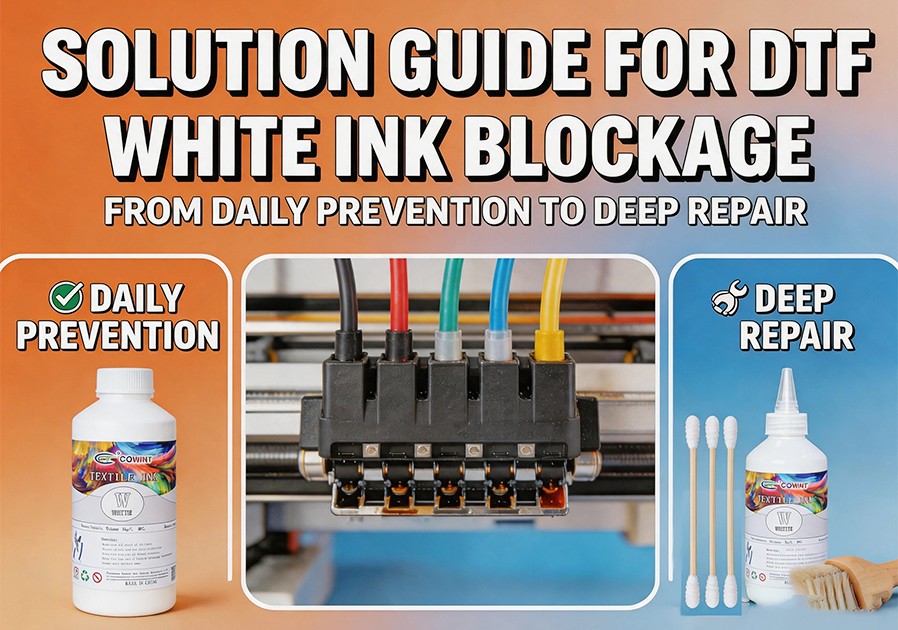
Introduction: Has your white printhead gone on strike? If you‘ve searched for “white ink not printing” or “DTF white ink nozzle clogging,” you’re not alone. Among all DTF printing issues, white ink clogging tops the search charts as the industry‘s most frustrating and time-consuming failure.
White ink contains high concentrations of titanium dioxide particles—heavy pigments designed to provide sufficient opacity on dark fabrics. However, this same opacity source is also the root of clogging. Particle settling, printhead drying, and air bubbles in the ink lines can all cause missing colors, banding, or complete print failure. This article systematically covers six root causes, four prevention strategies, and a step‑by‑step troubleshooting flowchart for white ink clogging.
1. Why Is White Ink the Most Demanding Component in DTF?
White ink‘s chemistry requires more attention than any other color. Its pigment, titanium dioxide, is significantly heavier than color pigments. Its high density causes natural settling—especially after the printer sits overnight. Complicating matters further, if white ink remains in the printhead or ink lines for too long, its water‑based components evaporate, leaving solidified pigment particles that block the nozzles‘ microscopic passages—some just fractions of the width of a human hair.
White ink issues account for over 70% of all DTF printhead failures. The good news is that with correct habits and a systematic approach, most clogs are preventable and repairable.
2. Six Root Causes of White Ink Clogging
Cause 1: Settling — The Most Common Hidden Killer. Titanium dioxide particles are heavy. If you don‘t agitate the ink after a period of inactivity, sediment settles at the bottom. When restarted, this thick paste is drawn into the printhead, causing instant clogs.
Cause 2: Printhead Drying — The Cost of Inactivity. If the printer sits idle for too long without proper wet capping, the moist environment around the nozzles disappears, ink dries inside the nozzles and permanently blocks them.
Cause 3: Air Bubbles — ”Blood Clots“ in the Ink Path. Air bubbles in the ink system act as ”clots,“ interrupting ink flow and causing nozzle misfires. Even if the printhead is physically fine, no ink reaching the nozzles means no printing.
Cause 4: Clogged Filters — Hidden Obstructions. Ink path filters are designed to ensure ink purity. Over time, these filters themselves can become clogged with impurities and dried ink, becoming new blockage points.
Cause 5: Environmental Factors — The Subtle Impact of Temperature and Humidity. Low temperatures increase ink viscosity, reducing flow. Low humidity accelerates ink evaporation at the nozzles, leading to premature drying and clogs.
Cause 6: Insufficient Maintenance — Small Problems Escalating. Skipping daily nozzle checks and regular cleaning allows minor nozzle dropouts to develop into widespread, stubborn blockages.
3. Four Prevention Strategies for White Ink Clogging
Daily Agitation/Circulation. If your printer has an automatic white ink circulation system, ensure it runs daily. If not, manually remove the white ink cartridge or tank each morning and shake vigorously for at least 30–60 seconds to evenly suspend any settled pigment. Even on days you aren‘t printing, run the printer‘s circulation system.
Daily Nozzle Check. Run a nozzle check pattern first thing every day. Closely inspect the white channel. Address any missing nozzles immediately—don’t wait until formal production begins.
Regular Printing to Avoid Idleness. DTF printers need regular activity to stay healthy. If you anticipate downtime, ideally print a small test pattern every 2–3 days to keep ink flowing. For downtime exceeding one week, perform a proper “long‑term shutdown” procedure: flush the white ink channels with cleaning solution and seal the capping station.
Optimize Your Work Environment. Ideal conditions: stable temperature of 18–28°C, relative humidity maintained at 40%–60%. Avoid placing the printer near air conditioner vents, heaters, or direct sunlight. Monitor your print room with a hygrometer.
4. Stepped Troubleshooting Flowchart for White Ink Clogging
When problems arise, work through the following steps systematically:
Level 1: Software & Initial Check. Confirm that the white ink channel is enabled in your RIP software. Run a nozzle check. If nozzles are only slightly missing, skip Level 2 and start from Level 3.
Level 2: Manual Agitation. Turn off circulation, remove the white ink cartridge, and shake vigorously for over a minute. Reinstall. Run one or two “soft” cleaning cycles. Run another nozzle check. Improvement indicates settling was the cause.
Level 3: Automatic Cleaning Cycles. Use your printer‘s built‑in cleaning function. Start with the gentlest cycle, running a nozzle check after each. Repeat as needed, but generally no more than 3–5 times—over‑cleaning wastes ink and loads the waste ink pad.
Level 4: Parked‑Head Soak — Gentle but Effective Deep Cleaning. If automatic cleaning fails, perform a “parked‑head soak.” Place the printer in maintenance mode, use a syringe to drip cleaning solution into the rubber cap of the capping station (about two‑thirds full). Manually move the printhead back into position, let it soak for 20–60 minutes. Run one or two cleaning cycles afterward.
Level 5: Check Bubbles and Filters. Inspect white ink tubes for air bubbles. If present, use a syringe at the damper to manually extract air. If clogs persist, inspect/replace the damper and ink filters. Replace filters every 3–5 months.
Level 6: Seek Professional Support. If all above steps fail, stop. Contact your equipment supplier or a technician. Improper cleaning can cause permanent damage to the printhead—the most expensive component in your printer.
5. Emergency Production Strategies
When a clog occurs during a large order and time is critical:
Emergency agitation — Even mid‑day, remove the white cartridge and shake vigorously for one minute.
Run a purge — Use the printer‘s maintenance menu to run a powerful cleaning cycle, forcing air and sediment out.
Wipe the printhead — Using lint‑free wipes and cleaning solution, gently wipe the printhead surface to remove surface‑dried ink.
Keep a backup printhead — For higher‑volume operations, investing in a spare printhead is the safest contingency plan.